Sample Screens From the RhinoBack Manager
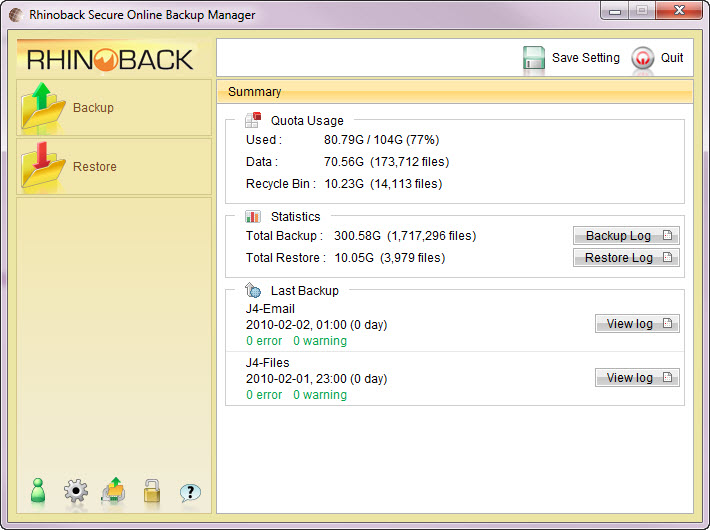
The following screen shows the simplicty of the Rhinoback user interface.
The common backup and restore functions are just a one click away.
Useful statistics about your account and the status of your last backups
are simple and easy to read. Advanced functionality is easily accessible under the tools
icons at the bottom.
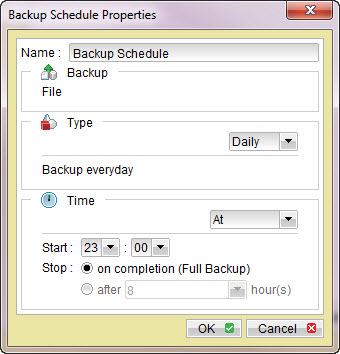
Setting your backup schedule is very easy, just pick a time.
Or do nothing, and Rhinoback™ will backup your files once a day
automatically. Rhinoback even allows your to setup multiple schedules to backup the same
or differnt sets of files more than once per day.
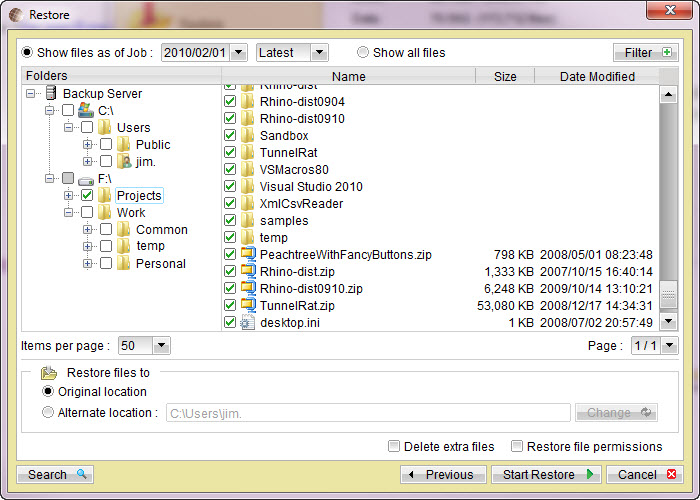
If you ever need to restore files, you can use the Rhinoback™ Manager
to select the files that you want to restore. You can select a date
if you want to recover an older version of a file. Older versions of files are
retained according to a retention policy that you control. Unlike other cheap online backup
services, Rhinoback does not limit your backup retention.
When you first install Rhinoback, the default files selection includes your documents, your desktop and favorites.
Your files will be backed up automatically every night. Even if you don't do anything after the
simple installation, your most important files will be backed up daily without any additional effort. In
the event that you lose your computer or data for any reason, your data can be quickly restored from
Rhinoback at anytime 24x7. Rhinoback Online Backup is fully automated so you don't have to remember to do
anything to keep your data safe and secure.